


|
PLAYLIST
Next game loading...
(Click to continue)
|
20
|
See your darts clearly. Not one score at a time, but the whole picture.
Every session you log on GoDartsPro, gathered into one place and turned into something you can act on. How much you have actually been throwing. Whether your form is moving in the right direction or quietly drifting. Which games you are strong in, and how the setup in your hand is affecting the numbers.
Open to every member, free or Premium. No card needed to start.
Why it exists
Most darts apps hand you a wall of numbers and leave you to it. You finish a session, you see a score, and you are none the wiser about whether the last month has moved you forward.
The Performance Center was built to answer the three questions every player asks after practice: am I improving, where is the weak spot, and what should I train next week?
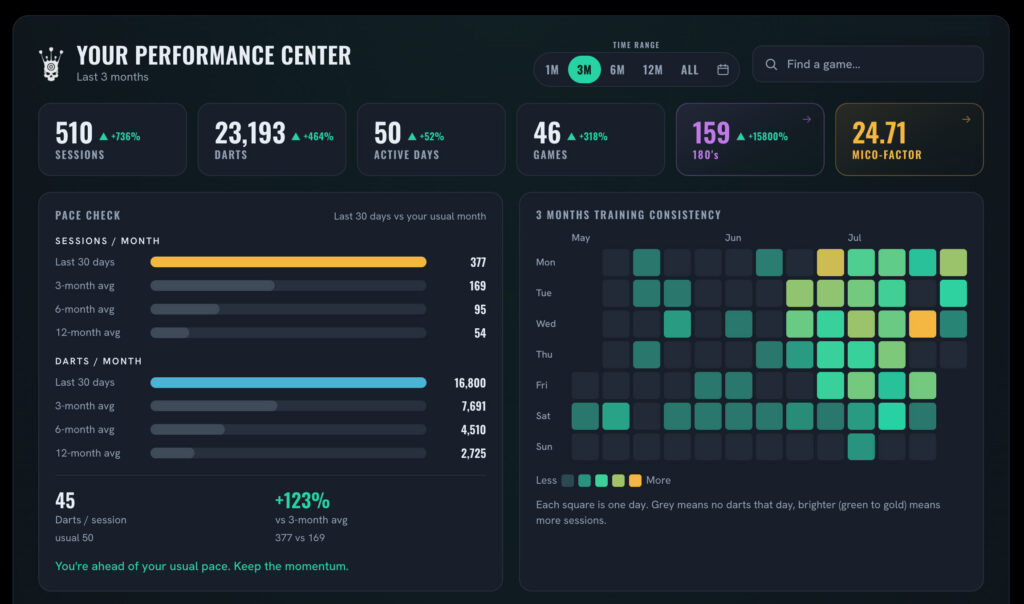
Sessions, darts thrown, active days and current form, on one screen. Not the last game you played, but the shape of the last three months. It is the view that tells you whether the work is actually going in.
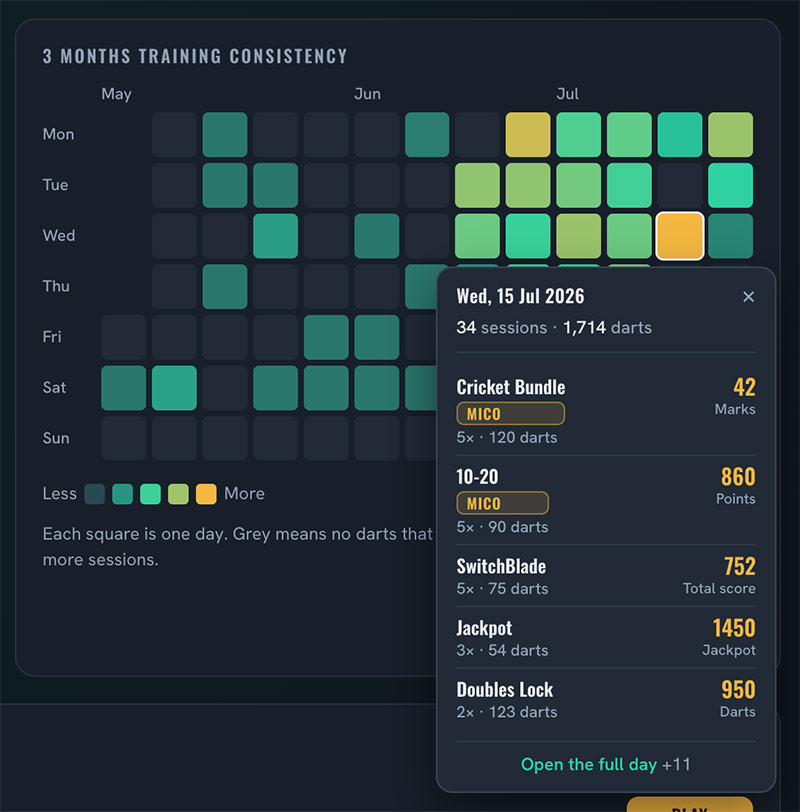
Three months of training, one square per day. The gaps tell you as much as the good weeks do. Click any day and you get everything you threw on it, game by game, without hunting through a history list.
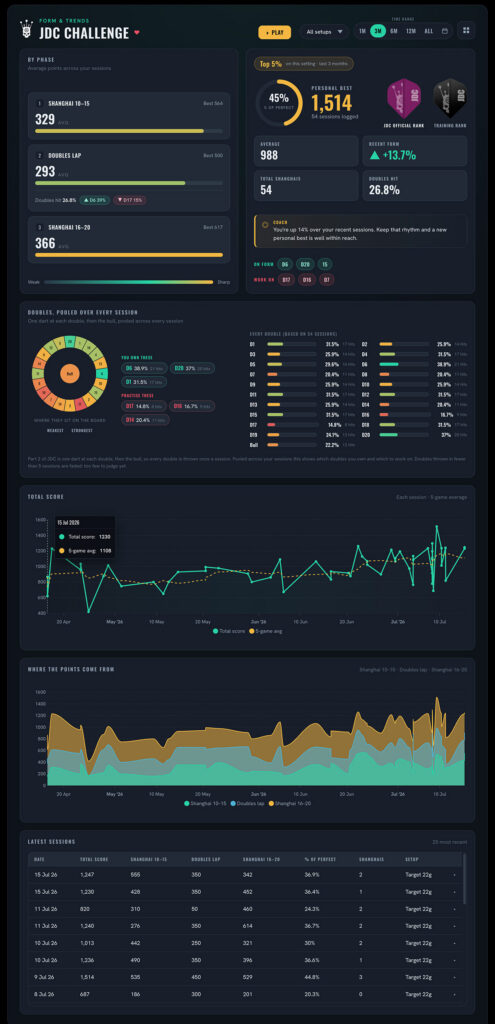
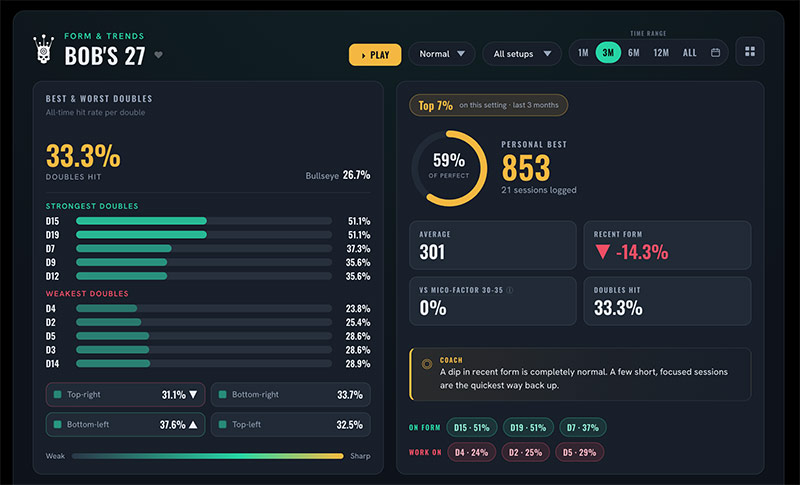
More than 100 practice games, each with a view of its own. Your strengths, the doubles that keep costing you, your personal best and how it has moved. This one is Bob’s 27, showing exactly which doubles are draining the score.
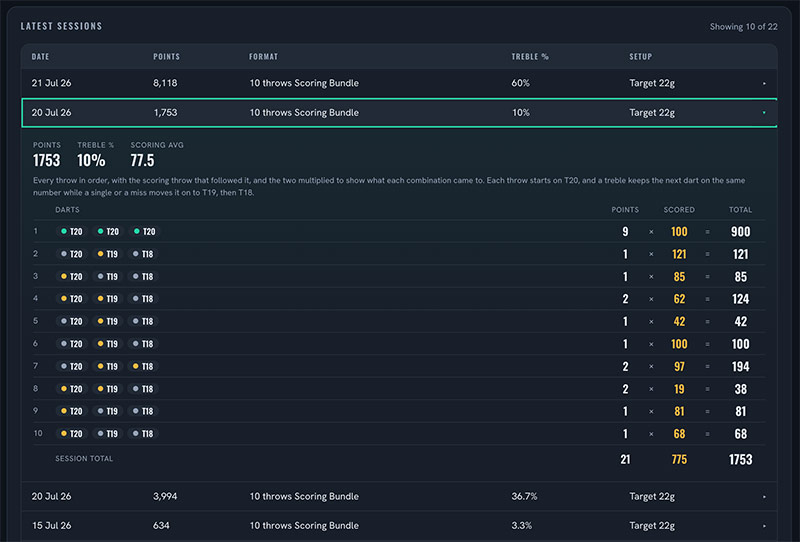
Click a session and see the throws as they happened. Useful when a number looks wrong, and useful when it looks right and you want to know what you did differently that night.
Measured against your own normal, so it means something whether you average 40 or 90.
Tag sessions with the set you threw and find out whether it really is better, or whether it only felt that way.
It reads everything you have ever logged here, so it is useful from the day you open it.
Free and Premium
Every member gets a Performance Center. A free account shows your training and your recent form. Premium opens the rest: the full history, every game view, and the parts that tell you what to do next.
Questions
Practise here, and the answer is waiting for you next time you open the Performance Center.


 Enduro