


|
PLAYLIST
Next game loading...
(Click to continue)
|
20
|
You can now save GoDartsPro’s game files (images, sounds and game scripts) on your phone, tablet or computer. Pages and games then load much faster, especially on slow or unstable wifi at your club or venue.
You still need an internet connection to play. Your scores and stats are saved online just like before. Only the heavy files are stored on your device.
Connect to a good wifi connection, e.g. at home.
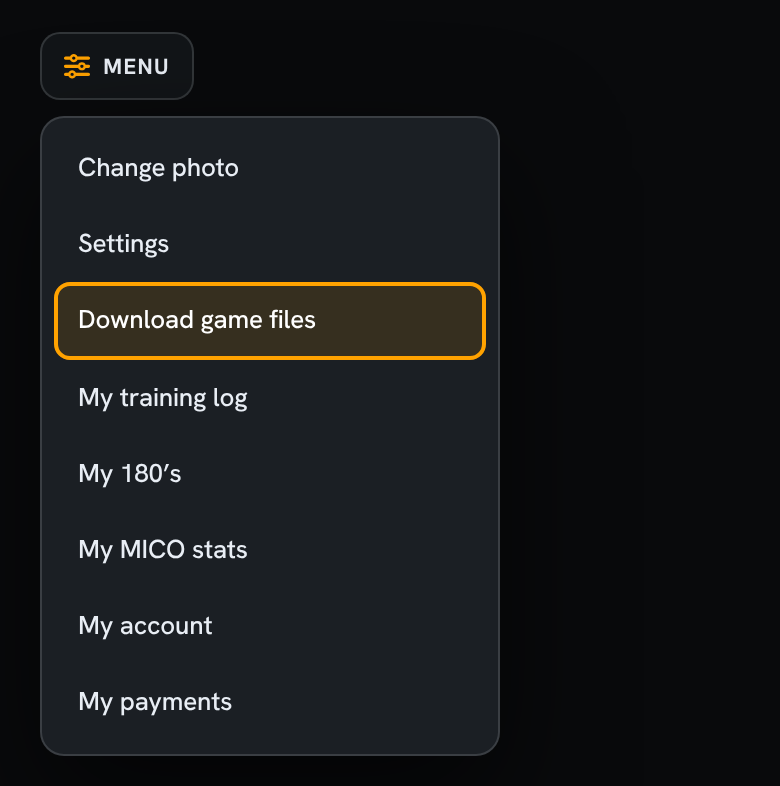
Go to your profile and tap Menu (top left).
Tap Download game files.
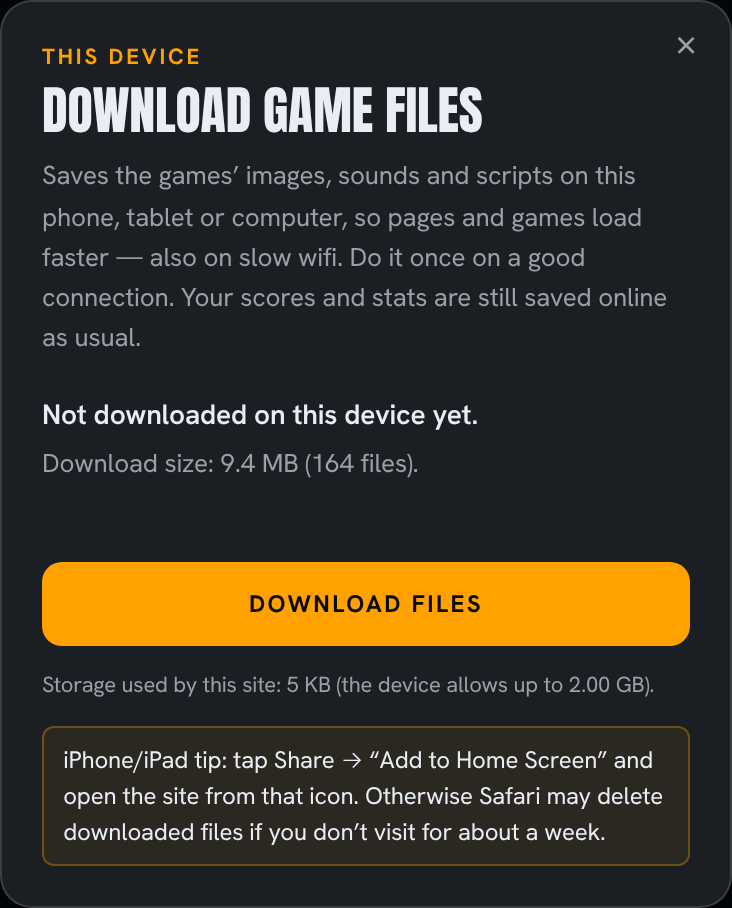
You’ll see how much there is to download. Tap Download files.
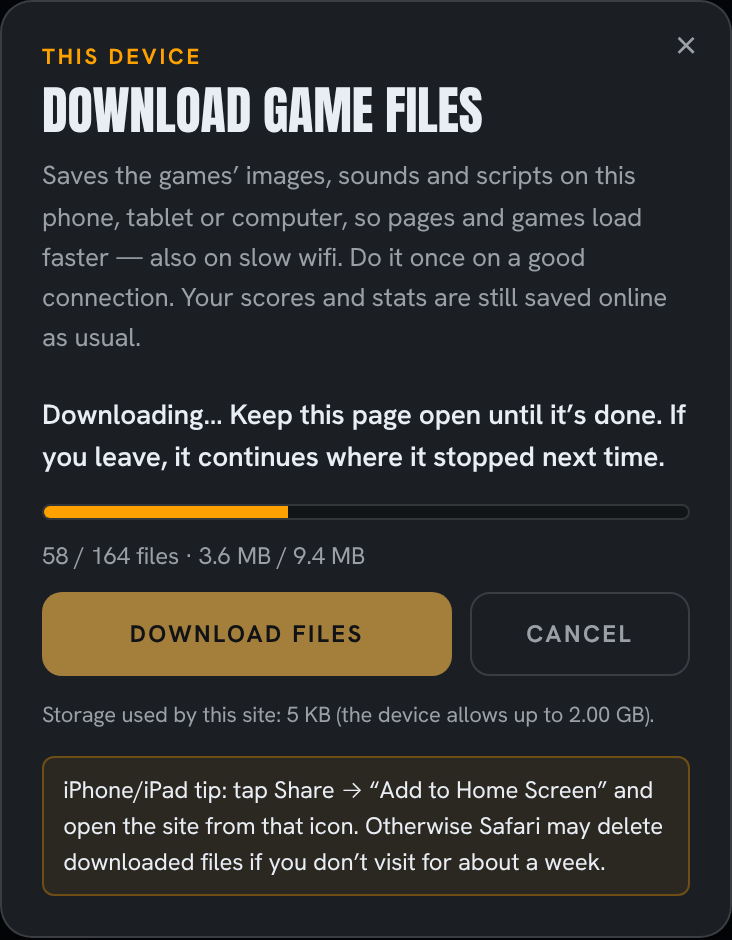
Wait until it’s done, usually a minute or two. Keep the page open meanwhile. If you leave, the download continues where it stopped next time.
Done! The site now loads the game files from your device.
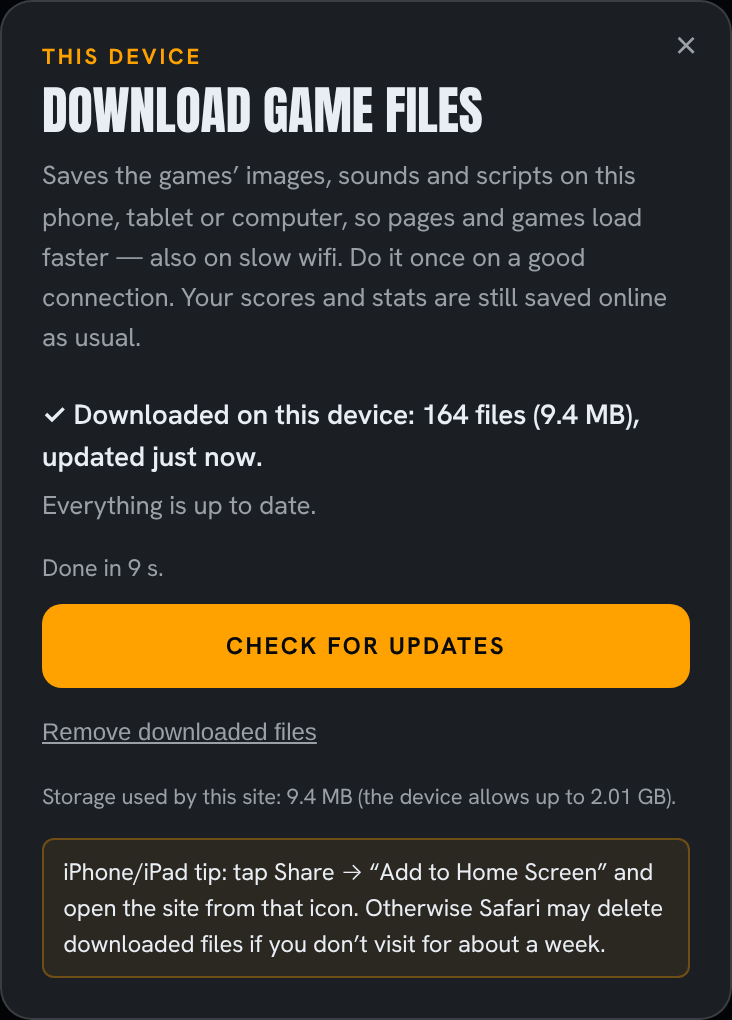
When we update games, open Menu → Download game files again. If there are updates, tap Update files. Only new or changed files are downloaded.
In Safari, tap Share → Add to Home Screen, and open GoDartsPro from that icon. Otherwise Safari may delete the downloaded files if you don’t visit the site for about a week.
Each device separately: downloading on your phone doesn’t download on your tablet. Do it once on each device and browser you use.
Private browsing: private or incognito windows delete the files when you close them.
Space: the dialog shows how much storage the site uses. Tap Remove downloaded files to free it up. The site then works as before.
Can’t see “Download game files”? Make sure you’re logged in and on your own profile, and that your browser is up to date.
More than More than 100 proper training games for you to make your darts practice fun, inspiring, interesting and addictive so you don’t even notice that you are improving!
Go to our Rookie-page to read more about how to get started and check out our Starter Pack–concept.
Get your Premium Membership to unlock the MICO-factor games now. Our MasterClass is the worlds’ first level-hopping game IRL darts, so that might be an inspiring challenge for you.


 Enduro