


|
PLAYLIST
Next game loading...
(Click to continue)
|
20
|
In short: if you hear the voice in a game but no dart sounds (in for example Lockdown Challenge), hit sounds or effects, Safari is blocking them. Set Auto-Play to Allow All Auto-Play for godartspro.com. It takes less than a minute and you only do it once.
Not all games on GoDartsPro has extra sound effects but some do, and we want you to hear them.
Safari has a setting called Auto-Play for every website. By default it is set to Stop Media with Sound, which blocks sound that a website plays on its own. The game’s sound effects (a dart landing, a hit, the boss wave) play while you throw, not when you click, so Safari stops them. The voice is handled differently by Safari, which is why you still hear it.
Chrome, Edge and Firefox don’t need this change.
Open godartspro.com in Safari.
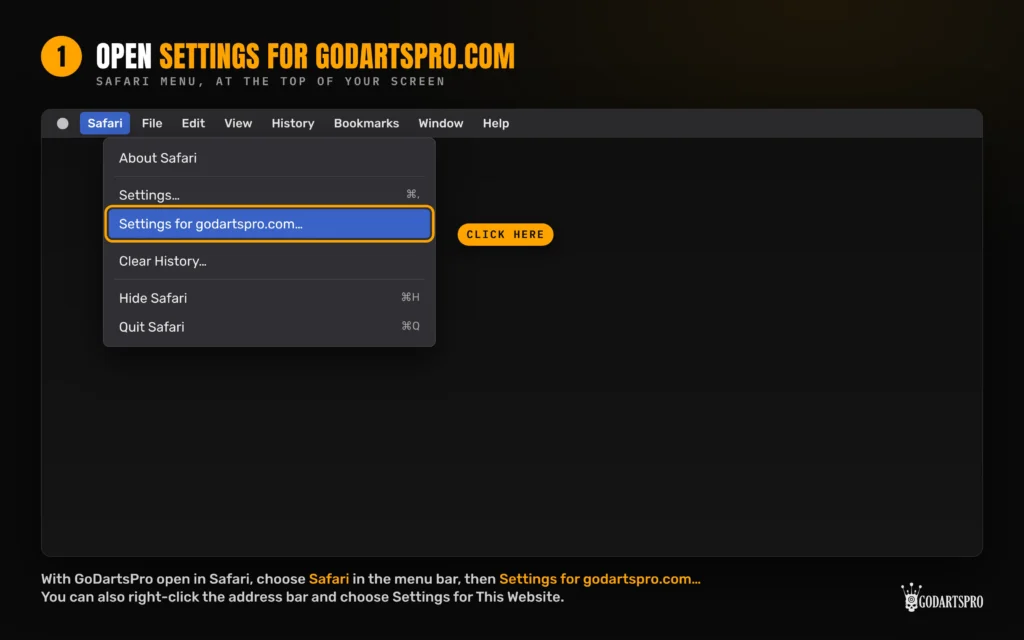
In the menu bar at the top of the screen, click Safari, then Settings for godartspro.com…
(You can also right-click the address bar and choose Settings for This Website.)
A small panel opens under the address bar. Next to Auto-Play, choose Allow All Auto-Play.
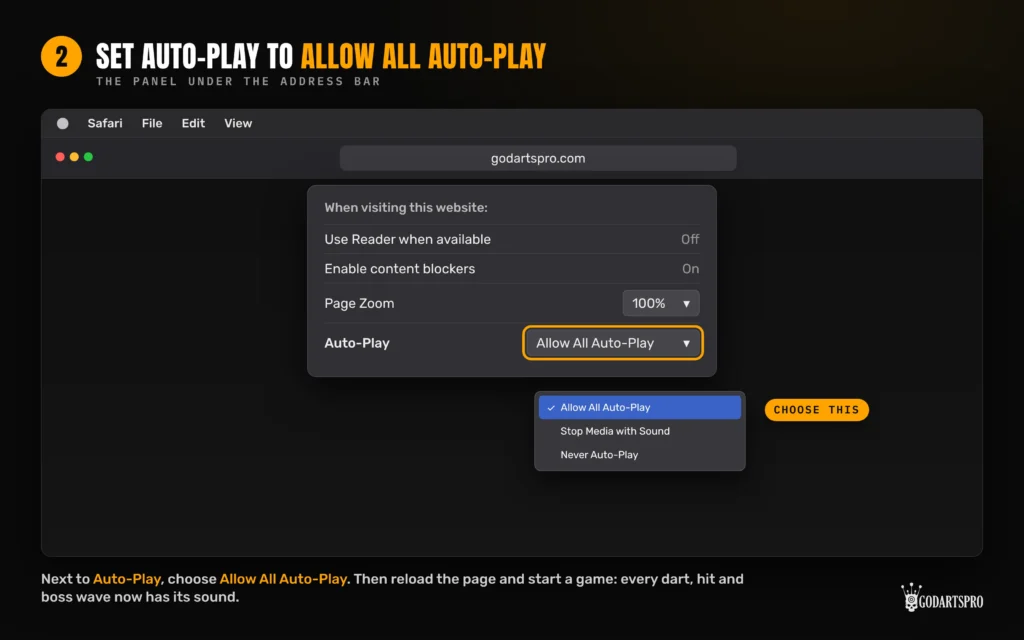
Reload the page and start a game. You’ll now hear every dart, hit and effect.
Another way: from Safari’s settings
In the menu bar, click Safari, then Settings…
Click Websites at the top of the window.
Click Auto-Play in the list on the left.
Next to godartspro.com, choose Allow All Auto-Play.
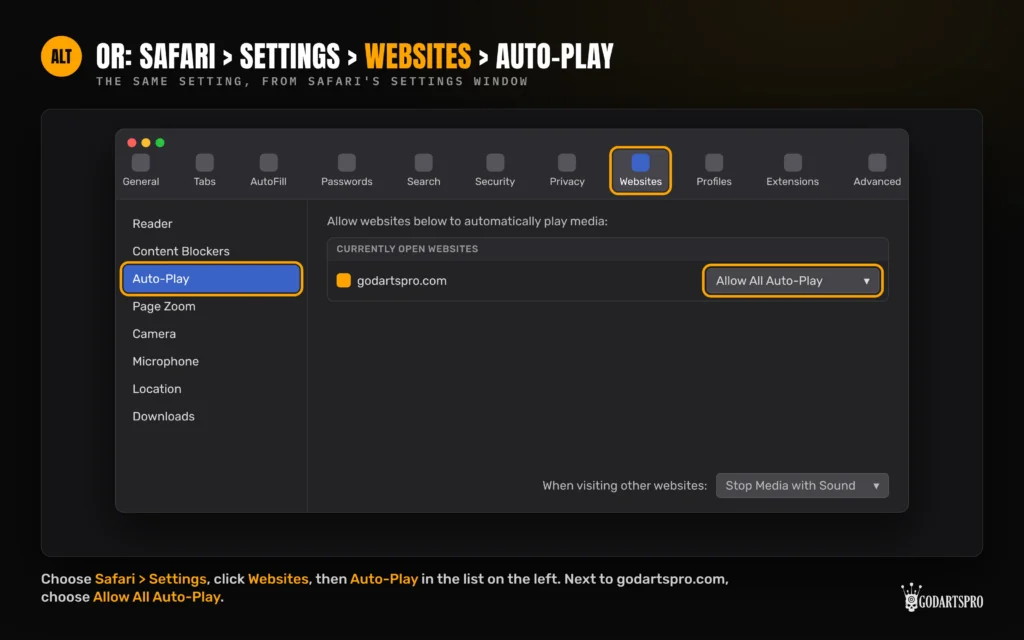
If godartspro.com isn’t in the list, open the site in another tab first and it will appear under Currently Open Websites.
Check the sound button in the game. The speaker icon in the game bar turns all game sounds on and off.
Check your Mac’s volume, and that the Safari tab isn’t muted (a speaker icon with a line through it in the tab).
Reload the page after changing the setting.
In Lockdown Challenge, a blue note saying “Game sounds are blocked” appears during play if Safari still blocks the sounds. Follow the steps above, then tap Got it.
Still stuck? Contact us and tell us which game, your Mac and your Safari version (Safari > About Safari).
The article only covers Safari on a Mac. iPhones and iPads have different settings.
More than More than 100 proper training games for you to make your darts practice fun, inspiring, interesting and addictive so you don’t even notice that you are improving!

Go to our Rookie-page to read more about how to get started and check out our Starter Pack–concept.
Get your Premium Membership to unlock the MICO-factor games now. Our MasterClass is the worlds’ first level-hopping game IRL darts, so that might be an inspiring challenge for you.


 Enduro